Ryzen-powered VDS.
Priced fairly.
Dedicated resources on Ryzen 7950X3D (New York) and 5700X (Amsterdam), KVM isolated, starting at £1.25/GB/month.
Choose a location & VDS plan
New York, United States
Located in the New York metro area with excellent east-coast US connectivity and a swift path to Europe.
Select RAM configuration
🇺🇸 New York, United States 2G
- 1 vCore(s)
- 2 GB RAM
- 30 GB NVMe
- @ 1 Gbps
Plans overview
| Plan | Cores | CPU | RAM | NVMe | Port | Bandwidth | Price |
|---|---|---|---|---|---|---|---|
| NY 2G | 1 | Ryzen 7950X3D | 2 GB | 30 GB | 1 Gbps | Unmetered | £2.99/mo. |
| NY 4G | 1 | Ryzen 7950X3D | 4 GB | 60 GB | 1 Gbps | Unmetered | £5.49/mo. |
| NY 8G | 2 | Ryzen 7950X3D | 8 GB | 120 GB | 1 Gbps | Unmetered | £9.99/mo. |
| NY 12G | 3 | Ryzen 7950X3D | 12 GB | 180 GB | 1 Gbps | Unmetered | £14.99/mo. |
| NY 16G | 4 | Ryzen 7950X3D | 16 GB | 240 GB | 1 Gbps | Unmetered | £19.99/mo. |
| NY 24G | 6 | Ryzen 7950X3D | 24 GB | 360 GB | 1 Gbps | Unmetered | £29.99/mo. |
| NY 32G | 8 | Ryzen 7950X3D | 32 GB | 480 GB | 1 Gbps | Unmetered | £39.99/mo. |
Amsterdam, The Netherlands
Located on the outskirts of Amsterdam with excellent connectivity across all of Europe.
Select RAM configuration
🇳🇱 Amsterdam, Netherlands 2G
- 1 vCore(s)
- 2 GB RAM
- 30 GB NVMe
- @ 1 Gbps
Plans overview
| Plan | Cores | CPU | RAM | NVMe | Port | Bandwidth | Price |
|---|---|---|---|---|---|---|---|
| AMS 2G | 1 | Ryzen 5700X | 2 GB | 30 GB | 1 Gbps | 1 TB | £3.49/mo. |
| AMS 4G | 1 | Ryzen 5700X | 4 GB | 60 GB | 1 Gbps | 2 TB | £6.49/mo. |
| AMS 8G | 2 | Ryzen 5700X | 8 GB | 120 GB | 1 Gbps | 4 TB | £11.99/mo. |
| AMS 12G | 3 | Ryzen 5700X | 12 GB | 180 GB | 1 Gbps | 6 TB | £17.99/mo. |
| AMS 16G | 4 | Ryzen 5700X | 16 GB | 240 GB | 1 Gbps | 8 TB | £23.99/mo. |
| AMS 24G | 6 | Ryzen 5700X | 24 GB | 360 GB | 1 Gbps | 12 TB | £35.99/mo. |
| AMS 32G | 8 | Ryzen 5700X | 32 GB | 480 GB | 1 Gbps | 16 TB | £47.99/mo. |
How we compare
VDS vs popular cloud providers on a comparable 8 GB plan.
| Metric | Code Cats | AWS | Azure | Digital Ocean | Vultr | Linode |
|---|---|---|---|---|---|---|
| Plan | NY/AMS 8G | t4g.large | A1 | Regular | Compute | Compute |
| Cores | 2 | 2 | 1 | 2 | 2 | 2 |
| RAM | 8 GB | 8 GB | 1.75 GB | 4 GB | 4 GB | 4 GB |
| SSD Storage | 120 GB | 30 GB | 40 GB | 80 GB | 80 GB | 80 GB |
| Bandwidth | Unmetered / 4 TB* | 0 MB | 5 GB | 4 TB | 3 TB | 4 TB |
| Price | £11.99 / £15.99** | $38.08 | $19.03 | $20 | $20 | $20 |
* Bandwidth is Unmetered in New York and 4 TB in Amsterdam.
** Price includes IPv4, NY: £9.99 + £2 IPv4 = £11.99 / AMS: £11.99 + £4 IPv4 = £15.99.
Operating systems
Choose your OS at order time. Reinstalls available by ticket.
Ubuntu LTS
Latest long-term support release. Recommended for most workloads.
Debian
Stable and minimal. A great base if you want to build your own stack.
Windows Server
Available at order time. Bring your own license (BYOL).
Other
Custom ISO or different distro? Open a ticket and we'll sort it out.
What makes a VDS different
Ryzen CPUs
7950X3D (New York) and 5700X (Amsterdam) for both excellent single-core and multi-core performance.
NVMe storage
Intel P4510 (Amsterdam) and Crucial P3 Plus (New York) delivering datacenter-grade latency and IO throughput.
Configurable network
Order with or without a dedicated IPv4. Virtual host support keeps costs down while staying accessible on ports 80/443.
Dedicated resources, KVM isolated
Every VDS gets a guaranteed slice of CPU, RAM, and storage. No sharing, no noisy neighbours. Run any OS or kernel.
Frequent promotions
Follow our Discord and social media for deals and promotional offers.
What people run on a VDS
Full root access, any OS, any workload.
Web server
Run Nginx, Apache, or Caddy. Host websites, REST APIs, or reverse proxies with complete server control.
Databases
Self-host PostgreSQL, MySQL, Redis, or MongoDB with dedicated resources and no noisy neighbours.
Containers & Docker
Full Docker support. Run any containerised workload, from microservices to full application stacks.
CI/CD & development
Isolated staging environments, GitHub Actions runners, build agents, or personal dev machines.
Self-hosted apps
Nextcloud, Bitwarden, Gitea, Vaultwarden, Plex. If it runs on Linux, it runs here.
Game servers
Dedicated CPU and RAM for hosting game servers without the shared-host limitations.
Network options
Choose the IP configuration that fits your use case.
Dedicated IPv4
You get your own public IP address with full port access: 25, 53, 80, 443, 587, or anything else. No proxies, no dependencies. Best for when you need a service on a port that can't be changed.
- Full port freedom (all 65535 ports)
- Direct SSH access
- No domain required
- Any protocol (TCP/UDP)
NAT IP + vHost (Save money)
Your VDS shares a public IP with other servers via NAT. Because port 80 and 443 are shared across multiple servers, you can't bind to them directly, but that's where vHost comes in.
How vHost works
We run a reverse proxy on our infrastructure. Point your domain to our proxy, and we'll forward all traffic on ports 80 and 443 straight through to your VDS on whichever port your app is actually listening on. Your visitors reach your site at yourdomain.com over standard HTTPS; they'll never know the difference.
What you need: a domain pointed to our proxy. We'll provide the target address when you set it up.
- Works for any web-facing service
- HTTPS via your own domain
- No port 80/443 conflicts
- £ lower monthly cost
Not sure which to pick? If you're hosting a website, a web app, or anything HTTP/HTTPS, vHost works perfectly. If you need raw non-HTTP port access, check if you can specify a custom port. If you can, a NAT IP (even without vHost) is sufficient. If not, such as in the case of email and DNS servers, go with a dedicated IPv4. You can always ask us before ordering.
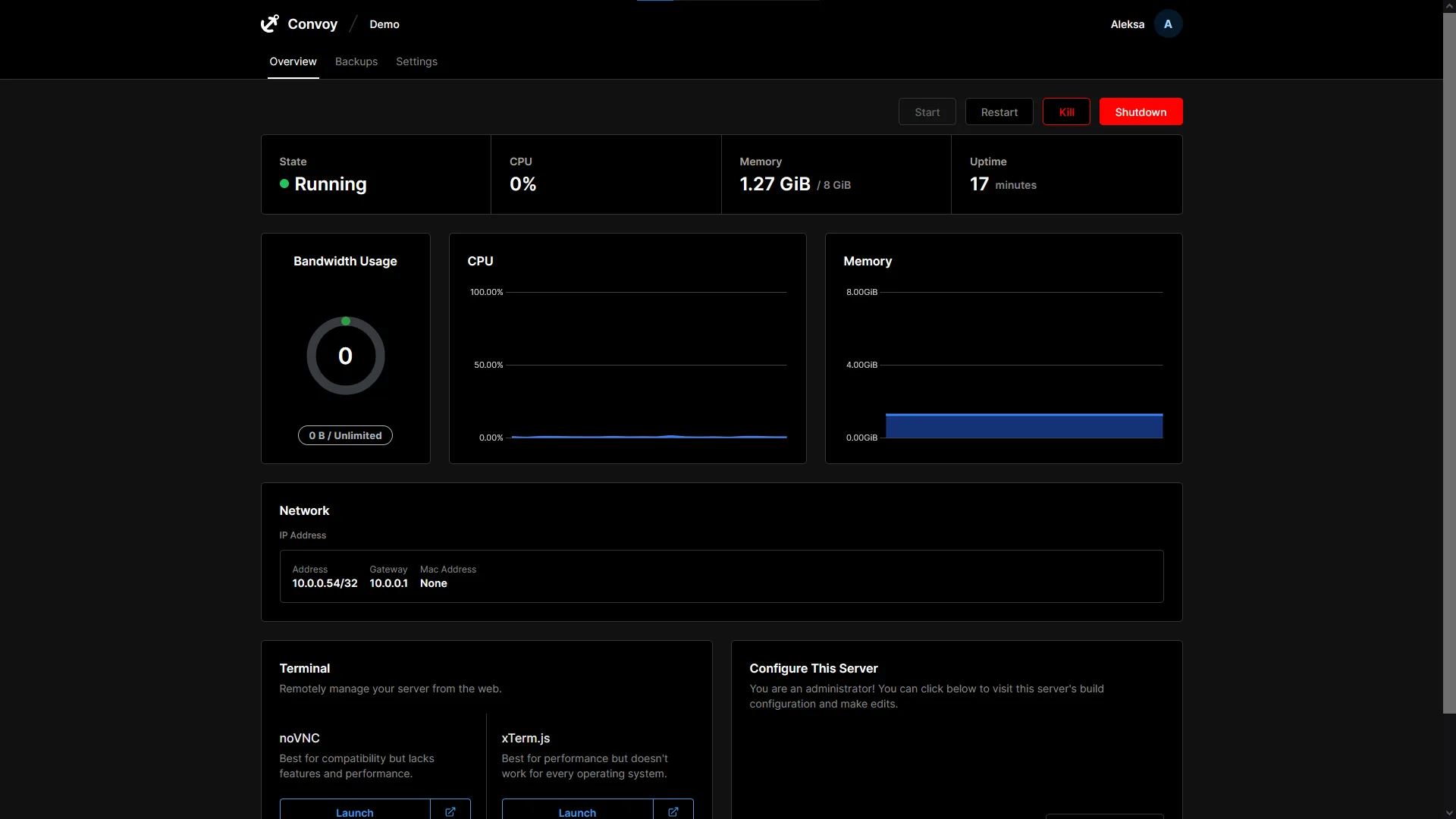
Convoy. Your server, your panel.
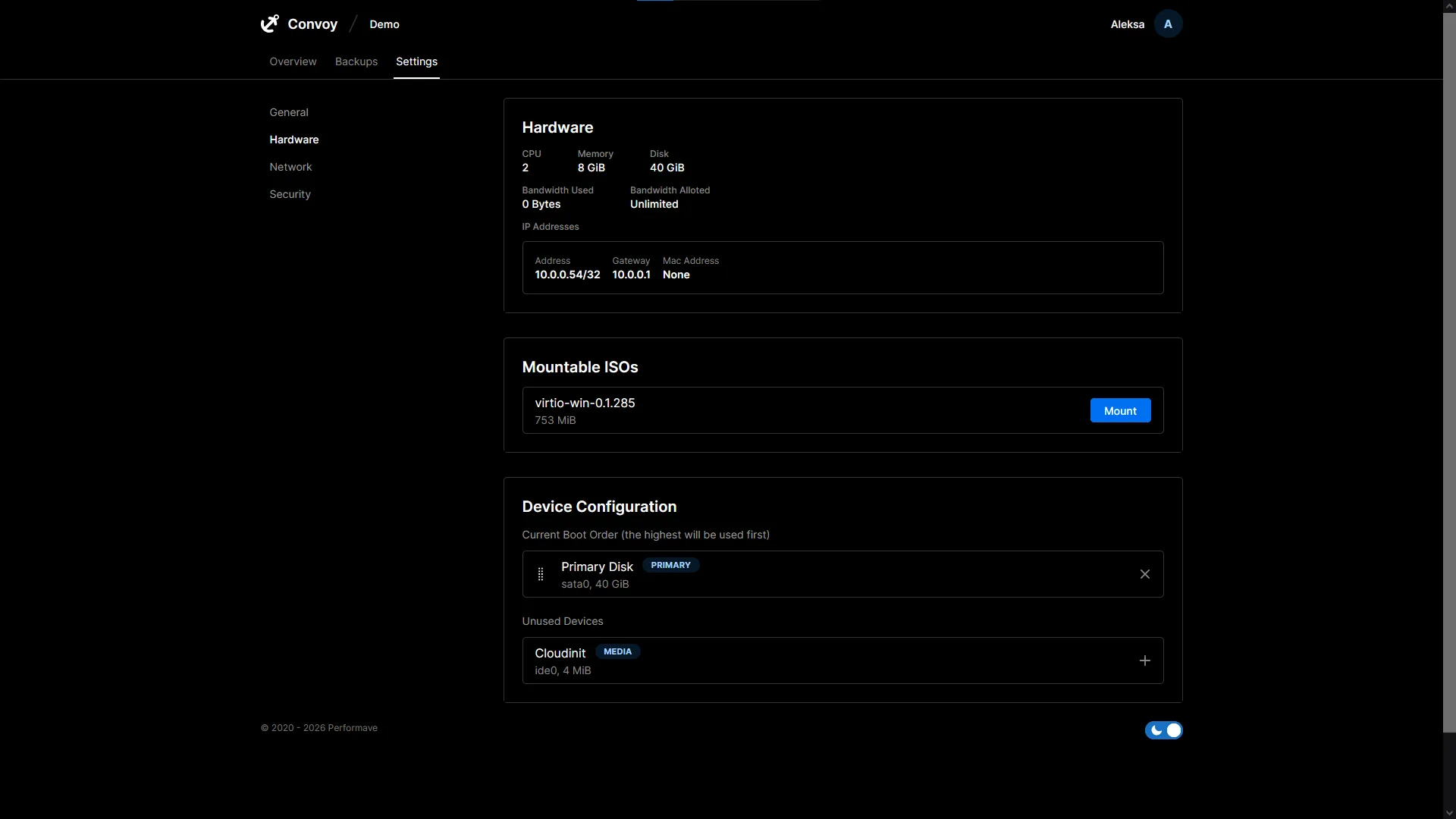
Every VDS comes with access to Convoy, our purpose-built server management panel. Powered by Proxmox on the backend, it gives you full control over your virtual server without the complexity.
-
Resource graphs
Live CPU, RAM, disk, and network graphs. See exactly what your server is doing and when.
-
Power controls
Start, stop, and reboot your VDS with one click. No SSH required.
-
VNC console
Browser-based console access when SSH is unavailable or you are configuring a fresh OS install.
-
OS reinstall
Wipe and reinstall any supported OS in minutes, straight from the panel.
-
Snapshots
Create point-in-time snapshots of your server and restore them at any time.